Chamberlain KLIK2U-P2 Manual: A Comprehensive Guide
This comprehensive guide details the installation, programming, operation, and troubleshooting of the Chamberlain KLIK2U-P2 universal wireless keypad, ensuring seamless garage door control.
The Chamberlain KLIK2U-P2 is a universal wireless keypad designed to provide convenient and secure access to your garage door. Compatible with a wide range of Chamberlain, LiftMaster, and Craftsman garage door openers, this keypad eliminates the need for physical keys or remote controls.
It allows authorized users to operate the garage door using a personalized 4-digit PIN code. This keypad offers a user-friendly experience with its illuminated buttons and clear indicators. Installation is straightforward, typically involving battery installation and simple programming steps to link it with your existing garage door opener.
The KLIK2U-P2 enhances security by allowing you to grant access to family members or trusted individuals without distributing physical keys, offering a modern and reliable solution for garage door access control.
Keypad Features and Compatibility
The Chamberlain KLIK2U-P2 boasts several key features, including a backlit keypad for easy nighttime operation and a weather-resistant design for durability. It supports both Type 1 and Type 2 garage door openers, offering broad compatibility. This wireless keypad simplifies access control with a customizable 4-digit PIN code, enhancing security and convenience.
Compatibility extends to various Chamberlain, LiftMaster, and Craftsman models manufactured after 1993. However, it’s crucial to determine your opener’s type during the programming process. The keypad operates on batteries, providing a reliable power source independent of your garage door opener’s power supply.
Its universal design minimizes compatibility issues, making it a versatile solution for many homeowners seeking a keyless entry system for their garage.
Package Contents
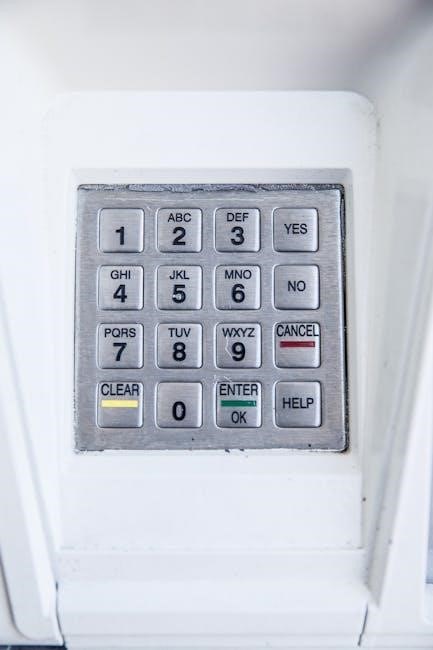
Upon opening the Chamberlain KLIK2U-P2 package, you should find the following items: one (1) Chamberlain Universal Wireless Keypad (model KLIK2U-P2), one (1) mounting bracket designed for secure installation, and comprehensive installation/programming instructions. These instructions detail the process for pairing the keypad with your existing garage door opener.
Additionally, the package includes screws necessary for mounting the keypad to a wall near your garage door. Please verify that all listed components are present before proceeding with the installation. If any items are missing, contact Chamberlain customer support immediately for assistance.
The packaging is designed to protect the keypad during shipping, ensuring it arrives in perfect working condition, ready for immediate use.
Installation
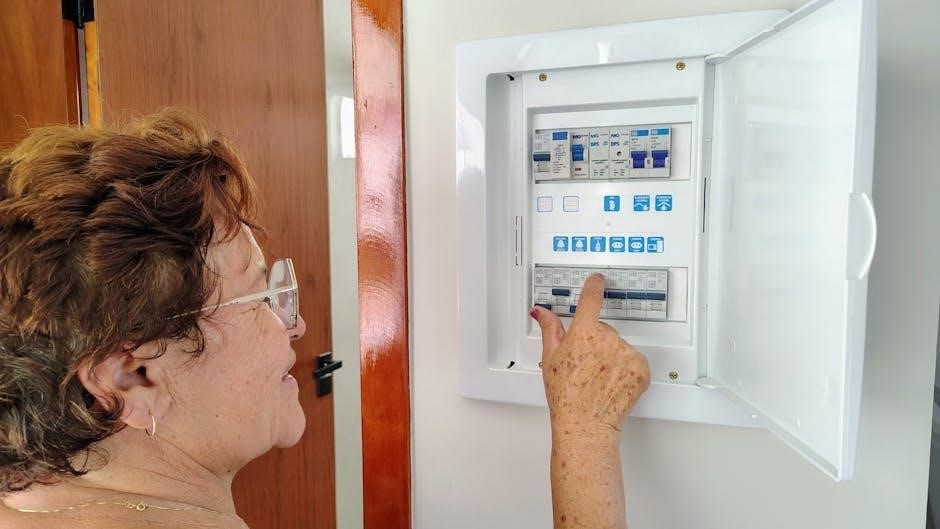
Proper installation is crucial for optimal performance. This section guides you through securely mounting the keypad and correctly installing the batteries for reliable operation.
Mounting the Keypad
Selecting a suitable location is the first step. Choose a spot near your garage door, easily accessible, and protected from direct weather exposure. Ensure the area is clean and dry before proceeding.
The KLIK2U-P2 keypad typically utilizes screws for mounting. Use the provided screws and anchors if mounting on drywall or other hollow surfaces. For solid surfaces like wood or concrete, pre-drilling pilot holes is recommended to prevent damage.
Align the keypad with the desired mounting points, ensuring it’s level. Securely fasten the screws, avoiding over-tightening. Double-check the keypad’s stability after installation. Proper mounting ensures reliable operation and prevents accidental dislodgement.
Battery Installation
The KLIK2U-P2 keypad requires batteries for operation. Typically, it uses 9V batteries, though confirming the specific type in your package contents is crucial. Locate the battery compartment, usually on the back of the keypad, and gently open the cover.
Insert the battery, carefully observing the correct polarity (+ and -) markings inside the compartment. Ensure the battery snaps securely into place. Incorrect battery installation can prevent the keypad from functioning or cause damage.
Close the battery compartment cover firmly. After installing the battery, the keypad should power on and display an indicator. Replace batteries when the keypad exhibits low power symptoms, such as dim lighting or unresponsive buttons.
Programming the Keypad
Programming involves identifying your garage door opener type and then setting a unique 4-digit PIN code for secure, wireless access control.
Determining Your Garage Door Opener Type (Type 1 & Type 2)
Before programming your Chamberlain KLIK2U-P2 keypad, identifying your garage door opener’s type is crucial for successful synchronization. There are primarily two types. Type 1 openers generally require pressing the ‘Smart/Learn’ button until the indicator light illuminates, initiating the learning process.
Type 2 openers, however, may have a slightly different procedure, potentially involving holding the button for a longer duration or utilizing a specific sequence. Refer to your garage door opener’s manual for precise instructions. The KLIK2U-P2 is designed for universal compatibility, but correct identification ensures a smooth setup.
Locate the ‘Learn’ button on your garage door opener unit; its appearance can vary. Once identified, proceed to the keypad programming steps, keeping your opener type in mind.
Programming a 4-Digit PIN Code
To program a secure 4-digit PIN code on your Chamberlain KLIK2U-P2 keypad, begin by entering the programming mode. After successfully determining your garage door opener type, press the ‘PROG’ button on the keypad. The display will prompt you to enter your desired 4-digit code.
Carefully choose a code that is easy for you to remember but difficult for others to guess. Input the first digit, then the second, third, and fourth, confirming each entry on the keypad. Once the code is entered, press ‘PROG’ again to save it.
The keypad will confirm successful programming. Test the code to ensure it functions correctly before relying on it for daily operation.
Using the Smart/Learn Button
The Smart/Learn button on your garage door opener is crucial for pairing the KLIK2U-P2 keypad. Locate this button – its appearance may vary depending on your opener model. Press and release the Smart/Learn button; an indicator light will illuminate, signaling the opener is in programming mode.
Within 30 seconds of activating the Smart/Learn button, initiate the programming sequence on the keypad. This typically involves pressing the ‘PROG’ button and entering your desired PIN code. The opener will then learn the keypad’s signal, establishing a secure connection.
Successful pairing is indicated by the garage door opener light flashing or a confirmation tone.

Operation
The KLIK2U-P2 keypad offers convenient, keyless garage door access. Simply enter your programmed 4-digit PIN code, and the door will operate as intended.
Entering the PIN Code to Operate the Garage Door
To activate your garage door using the KLIK2U-P2 keypad, begin by pressing any button on the keypad to illuminate the display. This wakes the system and prepares it to receive your input. Next, carefully enter your pre-programmed 4-digit Personal Identification Number (PIN) code using the numeric buttons.
Ensure each digit is entered accurately. After entering the final digit, release the buttons. The keypad will transmit the code to your garage door opener. You should observe the garage door begin its operation – either opening or closing – within a few seconds.
If the door does not respond, double-check your PIN code and try again. The keypad’s lighting will provide visual confirmation of code entry. Remember to keep your PIN code confidential to prevent unauthorized access.
Keypad Lighting and Indicators
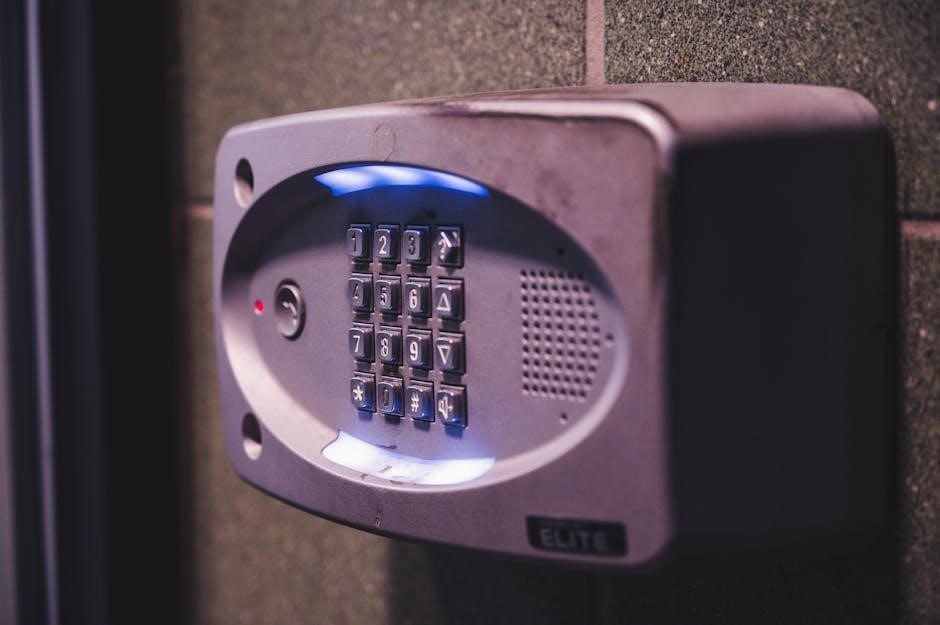
The Chamberlain KLIK2U-P2 keypad utilizes lighting and indicators to provide feedback on its operational status. Pressing any button activates the backlight, illuminating the keypad for visibility in low-light conditions. This illumination remains active for a short duration after each button press, conserving battery power.
A successful PIN code entry is typically acknowledged by a brief flash or change in the keypad’s lighting. If an incorrect PIN is entered, the keypad may display an error indication, such as a rapid flashing light or a specific pattern.
Low battery levels are also indicated by a warning light, prompting you to replace the batteries to ensure continued functionality. Understanding these visual cues is crucial for effective keypad operation and troubleshooting.
Troubleshooting
This section provides solutions for common issues, including a non-responsive keypad, incorrect PIN code errors, and compatibility problems with your garage door opener.
Keypad Not Responding
If your Chamberlain KLIK2U-P2 keypad isn’t responding, begin by checking the batteries. Ensure they are fresh and correctly installed, observing proper polarity. A low battery is a frequent cause of operational failure. Next, verify the keypad’s range; it should be within a reasonable distance of the garage door opener.
Obstructions between the keypad and the opener can interfere with the signal. Try repositioning or removing any potential barriers. Confirm that the garage door opener itself is receiving power and functioning correctly with other remotes. If the issue persists, attempt to reprogram the keypad following the instructions in the ‘Programming the Keypad’ section. Finally, a reset might be necessary; consult the full manual for detailed reset procedures.
PIN Code Not Working
If your entered PIN code isn’t activating the garage door, double-check that you are inputting the correct four-digit code. Remember that the keypad may have a lockout feature after several incorrect attempts, requiring a waiting period before further tries. Ensure the keypad lighting indicates successful key presses during entry.
If you’ve forgotten your PIN, you’ll need to reprogram it, which may involve accessing the garage door opener’s “Smart/Learn” button. Refer to the ‘Programming a 4-Digit PIN Code’ section for detailed instructions. Verify that the garage door opener is compatible with the KLIK2U-P2 keypad (Type 1 or Type 2). A compatibility issue could prevent proper PIN recognition. Finally, confirm no interference is present.
Compatibility Issues
The Chamberlain KLIK2U-P2 keypad is designed for universal compatibility, but certain older or less common garage door openers may experience issues. First, determine your garage door opener type (Type 1 or Type 2) as outlined in the programming section. If your opener isn’t listed as compatible, functionality isn’t guaranteed.
Interference from other wireless devices can sometimes disrupt the signal between the keypad and the opener. Try relocating the keypad or minimizing potential sources of interference. Ensure the garage door opener’s “Smart/Learn” button is functioning correctly. If problems persist, consult Chamberlain’s support resources for a comprehensive compatibility list or potential solutions.

Warranty Information
Chamberlain provides a 1-year limited warranty covering defects in materials and workmanship from the original purchase date for the KLIK2U-P2 keypad.
1-Year Limited Warranty Details
This warranty covers defects in materials and workmanship under normal use for one year from the date of purchase of your Chamberlain KLIK2U-P2 keypad. It does not cover damage from misuse, abuse, accidents, unauthorized modifications, or normal wear and tear.
To obtain warranty service, proof of purchase is required. This warranty gives you specific legal rights, and you may have other rights which vary by location. The warranty does not cover installation costs or consequential damages. Chamberlain’s liability is limited to the repair or replacement of the defective product.
For complete warranty details and claim procedures, please refer to the full warranty document available on the Chamberlain website or contact Chamberlain customer support.
Contacting Chamberlain Support
For assistance with your KLIK2U-P2 keypad, Chamberlain offers multiple support channels. You can visit their website for a comprehensive FAQ section, troubleshooting guides, and downloadable manuals. Their online support portal provides 24/7 access to helpful resources.
Alternatively, you can contact Chamberlain customer support directly via phone during business hours. A dedicated team of specialists is available to assist with programming issues, warranty claims, and general inquiries.
To find the most current contact information, including phone numbers and email addresses, please visit the official Chamberlain website. Ensure you have your model number (KLIK2U-P2) and date of purchase readily available when contacting support.

Safety Precautions
Always ensure clear visibility at the garage door, and keep the keypad secure. Never allow children access to programming functions or the PIN code.
Important Safety Instructions
Prioritize safety during installation and operation of your Chamberlain KLIK2U-P2 keypad. Always disconnect the garage door opener from power before any maintenance or adjustments. Ensure the keypad is mounted in a location protected from the elements and out of reach of children.
Never program the keypad while the garage door is in motion. Regularly test the safety reversal system of your garage door opener to confirm it’s functioning correctly. Be aware of your surroundings when operating the keypad, and never enter the PIN code if the area is obstructed.
Do not attempt to repair the keypad yourself; contact Chamberlain support for assistance. Keep the area around the garage door clear of obstructions. This keypad is intended for residential use only.